HP printer rentals
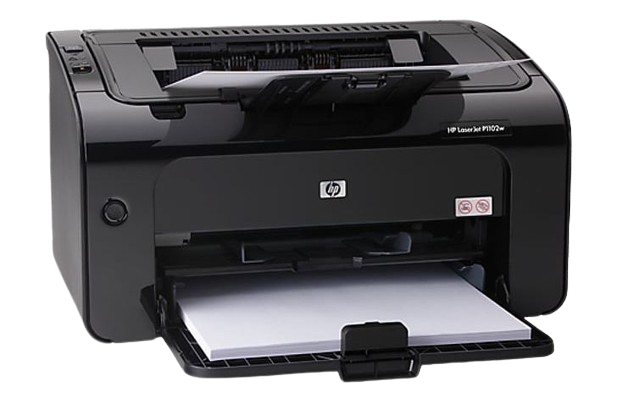
For everyday invoices, reports and office paperwork. Ask about a laser printer if most of your work is text-heavy and in black and white.
Guru Goutam Infotech · Bengaluru
Rent HP, Epson and multifunction printers for offices, home use, events and temporary projects. Tell us what you print and for how long, and we’ll help you choose a machine.
Printer fleet
For everyday invoices, reports and office paperwork. Ask about a laser printer if most of your work is text-heavy and in black and white.
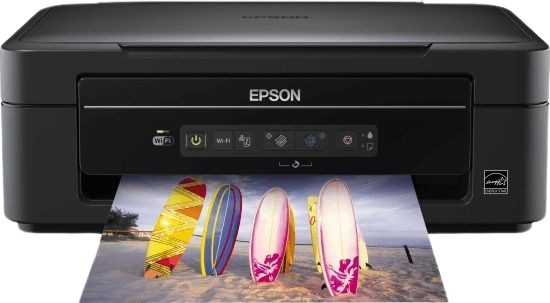
For teams that regularly print in colour. Ask about ink-tank options and compare running costs against your expected monthly volume.
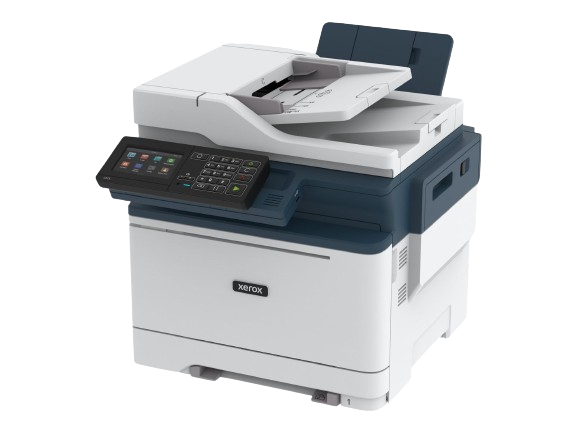
For a shared office that needs printing, scanning and copying in one machine. Ask which models support fax, double-sided printing or an automatic document feeder.
Confirm the model and stock when you request a quote. Wireless printing, speed, energy-saving modes and other features vary by device.
Common setups
Print occasional documents, invoices and reports. Tell us whether you need colour or mostly black-and-white pages.
Print, scan and copy from one machine. Ask about network access, duplex printing and a document feeder.
Estimate the number of handouts and whether several people will print at once. Include the start and end dates.
Plan for registration documents, schedules and last-minute changes. Share peak demand and the venue location.
Short-term rental can help you avoid a large upfront purchase. If your workload changes, ask about adjusting the equipment or rental term.
Keeping existing machines in use can extend their service life. If energy use matters for your office, ask about energy-saving features on the available models.
Request a quote
The quote depends on the machine, quantity, rental duration, location and support or consumables included. Ask for the inclusions in writing so you can compare quotes.
Yes. We offer short-term and long-term rental options. Share your dates, delivery area and expected peak print volume so we can confirm availability and recommend a suitable machine.
Yes. Tell us what you print, how often, and whether you need colour or scanning. We can discuss a printer for occasional home use or a more demanding home-office setup.
A monochrome laser printer is worth considering for regular text-heavy jobs. If you print colour documents often, compare a colour laser or ink-tank option based on your workload and the quoted consumable costs.
Yes. Ask for a multifunction printer. Tell us if you need to scan multi-page documents, print on both sides, use Wi-Fi or fax, so we can check the exact model.
The quote depends on the printer type, rental period, number of units, print volume and what the agreement includes. Share your requirements to get a quote for your setup.
Ask us to list these separately in the quote. Confirm which consumables are included, whether there is a page allowance or extra-page charge, and how maintenance and troubleshooting are handled.
We offer technical assistance with setup and troubleshooting. Mention how many users will share the printer and whether you need USB, Wi-Fi or network access. Confirm the setup and support scope with your quote.