What Happens to Your Old Laptops After You Return Them?
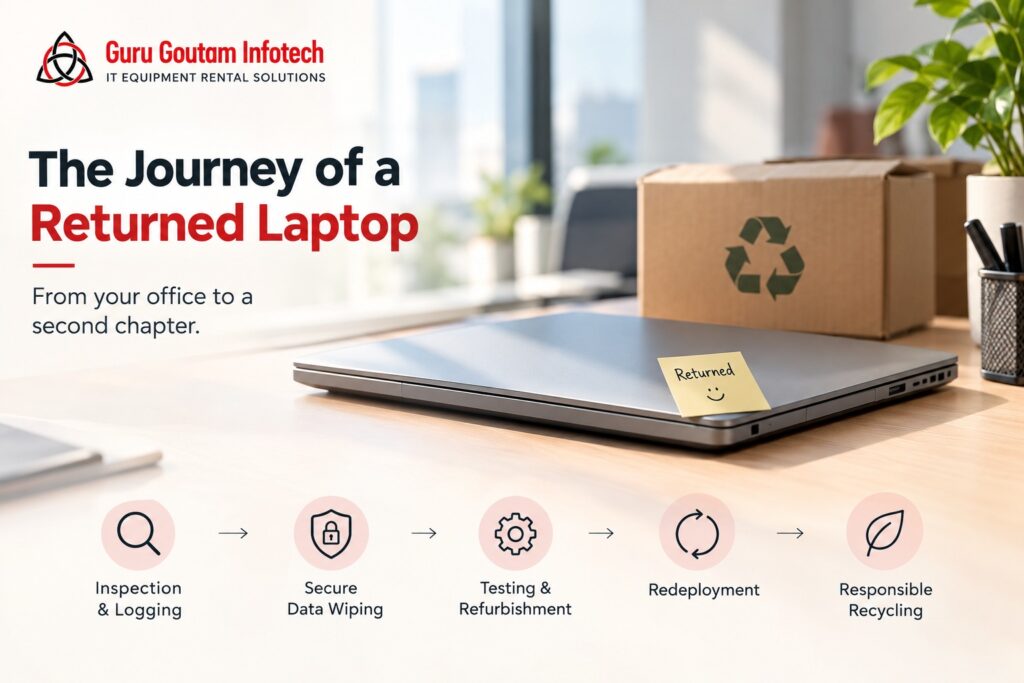
Most companies never ask this question. A rental project ends, the laptops go back, and everyone moves on to the next task. But what actually happens to a laptop after it leaves your office is worth understanding, both for peace of mind and because it says a lot about the kind of rental partner you are working with.
Here is the journey a returned laptop actually goes through, step by step.
Step 1: Every Device Is Logged and Inspected
Before anything else happens, each returned laptop is checked against the original inventory. This is not a quick glance. A proper inspection covers:
- Physical condition, including screen, keyboard, ports, and battery health
- Whether all original accessories (charger, bag, mouse) came back
- Any visible damage that happened during the rental period
This step matters because it protects both sides. Businesses are not charged for wear they did not cause, and the rental company knows exactly what condition its fleet is in.
Step 2: Data Is Wiped, Not Just Deleted
This is the step most companies care about most, and rightly so. A returned laptop may have held sensitive business data, from client information to internal documents. Simply deleting files is not enough, since deleted data can often be recovered.
A responsible process includes:
- Certified data wiping software that overwrites the entire drive, not just visible files
- A verification step confirming the wipe was successful
- A record kept for compliance purposes, in case a business needs proof that its data was securely removed
If a rental company cannot clearly explain how it handles data wiping, that is a fair reason to ask more questions before signing a contract.
Step 3: Devices Are Tested and Refurbished
Once a laptop is clean and inspected, it goes through testing. This includes checking the battery, hard drive health, RAM, and overall performance against the manufacturer’s original specifications.
Depending on what the testing reveals, one of three things happens:
- Minor issues get repaired in-house, such as replacing a worn keyboard or a battery that no longer holds a full charge.
- Moderate wear gets addressed through part replacement or professional servicing before the device is cleared for reuse.
- End-of-life devices, ones that no longer meet performance or safety standards, get pulled from the rental pool entirely.
This is also where rental companies decide which devices are fit to go back into circulation and which have simply reached the end of their useful life.
Step 4: Redeployment to the Next Business
A laptop that passes inspection and testing does not sit idle. It goes back into the rental pool, ready for the next business that needs it, whether for a short-term project, an event, or a new office setup.
This is actually the core of how rental pricing stays reasonable. A single laptop can serve multiple businesses over its lifetime instead of sitting unused in one company’s storeroom for years. Higher utilization is part of what keeps rental costs lower than the cost of ownership for short-term needs.
Step 5: Responsible Recycling for End-of-Life Devices
Not every laptop makes it back into circulation. When a device reaches the end of its usable life, whether due to age, damage, or outdated specifications, it needs to be retired properly.
This typically involves:
- Partnering with certified e-waste recycling facilities
- Extracting reusable components where possible
- Ensuring hazardous materials, such as batteries, are disposed of safely and in compliance with e-waste regulations
This step matters more than it might seem. Electronic waste is one of the fastest-growing waste categories globally, and improperly discarded devices can leak hazardous materials into the environment. A rental model that actively manages this lifecycle helps reduce that impact, since fewer new devices need to be manufactured and fewer old ones end up discarded carelessly.
Why This Should Matter to Your Business
Understanding this process is not just about curiosity. It affects three things businesses genuinely care about:
- Data security. Knowing your data is properly wiped, not just deleted, protects you from compliance and confidentiality risks.
- Sustainability reporting. Companies increasingly need to account for their environmental footprint. Renting equipment that gets responsibly reused and recycled is a small but real contribution to that goal.
- Trust in the vendor relationship. A rental company that can clearly explain what happens after return is generally a company that takes the rest of its operations just as seriously.
What to Ask Before Signing a Rental Agreement
Since this process varies a lot between vendors, it is worth asking a few direct questions upfront:
- What method is used to wipe data, and can that be confirmed in writing?
- What happens to a device if it is damaged beyond repair during the rental period?
- Are end-of-life devices recycled through a certified partner, and can that be verified?
- Is there a written policy covering all of the above, or does it depend on who you ask?
A vendor with clear, confident answers to all four is one that has actually built this process, rather than figuring it out as issues come up.
In Short
- Returned laptops go through inspection, secure data wiping, testing, and either refurbishment or responsible recycling.
- Certified data wiping, not simple deletion, is what actually protects your business information.
- Devices that stay in circulation reduce e-waste and help keep rental costs efficient.
- Devices that reach end-of-life should be recycled through certified, compliant channels, not simply discarded.
The Bottom Line
The life of a rented laptop does not end the day it leaves your office. It goes through a careful process designed to protect your data, extend the device’s useful life, and reduce environmental impact. The next time a rental contract ends, it is worth asking your vendor one simple question: what happens to this equipment now? The answer tells you a lot about who you are working with.